
- Joined
- Oct 27, 2025
- Messages
- 136
 Overview
AIXF Group Display Chooser allows members who belong to two or more user groups to choose which group controls the styling of their username and user title across XenForo.This gives users control over how their name appears in:
- Forum posts
- Member profiles
- Conversation messages
- Online listings
- Anywhere XenForo uses display styling
Features
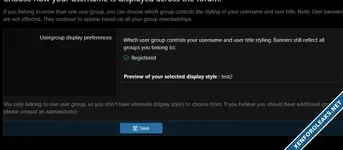
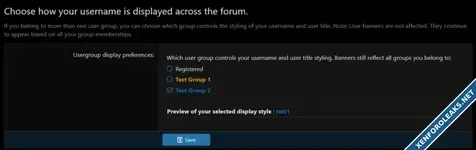
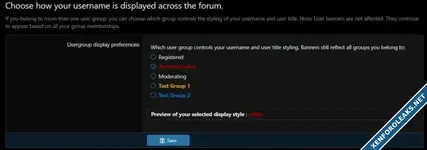
✔ Display Group Selector
Users can pick from any of their primary or secondary user groups to determine which group controls:- Username color and styling
- User title
- Display styling CSS
✔ User Banners Remain Standard
User banners continue to show all banners based on group membership and existing banner priority rules.(Changing display group does not affect banners.)
✔ Permissions Included
A new permission controls who can access the display group chooser:Permissions → AIXF Group Display → Use display group chooser
✔ Admin Options
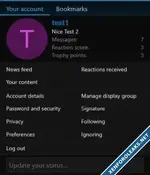
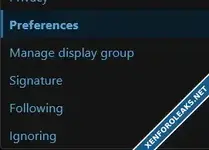
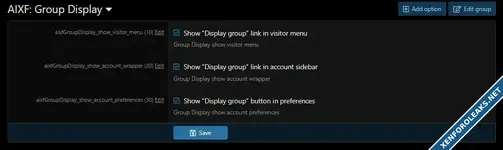
Admins can choose where to show the link to the chooser:- Account Preferences page
- Visitor Menu dropdown
- Account Wrapper left menu
✔ Preview Box
Users can preview how their username and title will appear before saving.✔ Clean & Native XenForo Integration
- Uses XF form styling
- Uses proper link building
- Keeps default permission and styling behavior
- No core file edits
Installation
- Upload the contents of the /upload/ directory to your XenForo root.
- Install the add-on in AdminCP → Add-ons.
- Configure permissions in:
AdminCP → Groups & permissions → User group permissions → AIXF Group Display - Optional: Configure display locations in the add-on options.
Usage
Once enabled:- A user with multiple user groups can visit:
Account → Display group styling - They choose which group should control their appearance.
- Preview updates instantly.
- Save changes → styling updates across the forum.




Attachments





![[DigitalPoint] Profiles](https://xenforoleaks.net/data/attachments/0/517-6ee0fcc136d860f3f60dd03042e59a72.jpg)
![[Andy] Banner 2.5](https://xenforoleaks.net/data/attachments/0/36-1fab5ca850cac647bff16d10d7df51bc.jpg)