![[AP] Style Suite](https://xenforoleaks.net/data/attachments/0/79-c7ac0d82ab8fcfcefb4177771dd5842a.jpg)

- Joined
- Oct 27, 2025
- Messages
- 136
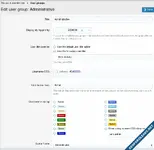
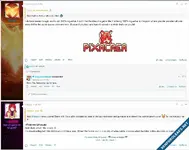
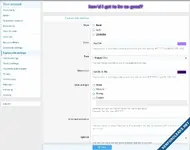
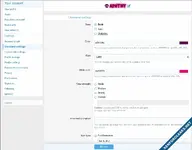
This addon allows users to customize the appearance of their username, custom title, posts, postbits, profiles, and tooltips, by a "Style settings" link to the Account Details section. Users can also choose a frame for their avatar from this page, or if the admin has chosen a default avatar frame for the user's primary usergroup, they will fall back to that frame instead.
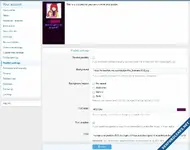
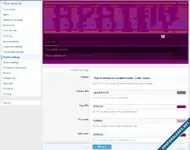
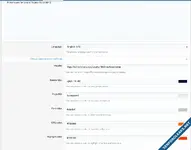
Another link called "Profile block settings" is also added to the Account Details section where users can add multiple embeds for playing music, videos etc. They can also choose where the blocks will be located (sidebar, above content, etc).
The abilities are all controllable with permissions so you can restrict certain user(groups) from accessing the functionality - ideal for user upgrades etc.
Avatar frames, sparkles, postbit presets & fonts are called "assets" and can be controlled from the Appearance section of the administrator panel. You can modify, remove or disable the addon-provided assets, or upload your own custom ones from these pages instead.
Another link called "Profile block settings" is also added to the Account Details section where users can add multiple embeds for playing music, videos etc. They can also choose where the blocks will be located (sidebar, above content, etc).
The abilities are all controllable with permissions so you can restrict certain user(groups) from accessing the functionality - ideal for user upgrades etc.
Avatar frames, sparkles, postbit presets & fonts are called "assets" and can be controlled from the Appearance section of the administrator panel. You can modify, remove or disable the addon-provided assets, or upload your own custom ones from these pages instead.
Features
- Extends Xenforo User Criteria for Trophy support
- Users can disable all styles if they find them annoying
- Users can ignore each others styles
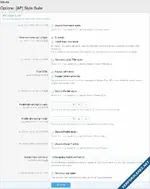
- Admin options
- Can globally disable each style type
- Can choose if username icons should inherit usergroup color or allow separate styling
- Can choose square or round avatar types
- Can choose maximum username icon image height & width
- Can choose maximum postbit background height & width
- Can choose minimum & maximum font size for post styles
- Can globally disable each custom profile block type
- Can restrict specific usergroups username color to 5 chosen by the admin
- Can manage various options for avatar frames, fonts, sparkles, and postbit presets
- Rename
- Set display order
- Restrict access to specific user-groups
- Upload image / font
- Style properties
- Prevent animated glow CSS from being loaded
- Prevent custom title style CSS from being loaded
- Prevent avatar frame CSS from being loaded
- Prevent font CSS from being loaded
- Prevent sparkle CSS from being loaded
- Prevent username style CSS from being loaded
- Prevent tooltip style CSS from being loaded
- Disable profile styles
- Sparkle width
- Sticky style previews
- Sticky preview position offset
- Input slider background color
- Input slider thumb color
- CSS box gutter background color
- CSS box slider background color
- CSS box slider thumb color
- Postbit gradient start color
- Postbit gradient end color
- Postbit gradient direction
- Custom title style
- Bold, italic, underline
- Color
- Solid color
- Gradient color
- Font family
- Glow color
- "None", "Weak", "Medium", "Strong", "Animated", "Custom" glow strengths
- Fill your text with an image ("Inner-text animations")
- Sparkle
- Postbit style
- Disable postbit backgrounds if you don't like them
- Accepts image URLs, uploads, or a preset choice for a background
- "No repeat", "Horizontal", "Vertical", "Both" background repeat options
- Sliders for controlling X & Y axis position of the background image
- "Auto", "contain", "cover" background size options
- Opacity
- Brightness
- Contrast
- Text color
- Text shadow
- CSS
- Post style
- Disable post styles if you don't like them
- Bold, italic, underline
- Color
- Font family
- Font size
- Profile style
- Header
- Header height (px)
- Navbar background color
- Page background
- Color
- Image
- Sticky page background
- Page background repeat
- Page background position
- Page background size
- Font color
- URL color
- Highlight color
- Box header color
- Box background color
- Border color
- Button color
- Scrollbar color
- Scrollbar background color
- Scrollbar width
- Scrollbar radius
- CSS
- Tooltip style
- Font color
- URL color
- Highlight color
- Box background color
- Border color
- Button color
- Username style
- Bold, italic, underline
- Color
- Solid color
- Gradient color
- Font family
- Glow color
- "None", "Weak", "Medium", "Strong", "Animated", "Custom" glow strengths
- Fill your text with an image ("Inner-text animations")
- Fontawesome or image URL icons
- "Before" or "After" icon position
- Icon color
- Sparkle
- Custom profile blocks
- Soundcloud audio
- Spotify audio
- Text
- TikTok video
- Twitter feed
- Youtube video
Compatible themes
- CSCN Anniversary
- FlatTheme - PigmentGreen
- IPBee
- Mocah
- MX Dark
- Pach
- Pro Black
- PurpleFreak
- Royal
- Shades of Blue
- Shades of Grey
- StyleFactory Rain
- ThemeHouse iO / iO Dark
- ThemeHouse UI.X 2
- Xenforo default
Attachments
-
apathy-StyleSuite-2.16.13.zip6.4 MB · Views: 0
-
 admin_options.webp53 KB · Views: 1
 -
 group_frame_select.webp31.2 KB · Views: 1
 -
 postbit_settings.webp42.5 KB · Views: 1
 -
 postbits.webp58.1 KB · Views: 1
 -
 profile_settings.webp37.6 KB · Views: 1
 -
 social_group_settings.webp25.9 KB · Views: 1
 -
 title_settings.webp38.4 KB · Views: 1
 -
 username_settings.webp36.7 KB · Views: 1

![[Supergatto] Traffic Counter & Forum Statistics (Real-Time, GeoIP, AMS)](https://xenforoleaks.net/data/attachments/1/1883-9dbfb8c459d5ba08349fa7cb02fb1410.jpg)

![[XFA] Custom Username Icons](https://xenforoleaks.net/data/attachments/0/979-0dd120cdfe5033b70620ca181be2fab2.jpg)
![[XTR] User Stats](https://xenforoleaks.net/data/attachments/1/1615-205d358d22076463e125881419214cfc.jpg)
![[cXF] Advanced Footer](https://xenforoleaks.net/data/attachments/0/891-1140a6d1f8bc94fed10a0246181a9d46.jpg)