Requirements:
XenForo 2.3+
This add-on is a port of GamerProfiles - PixelExit.com, which @Steve F has kindly allowed me to release.
This add-on makes use of the custom user fields by allowing your users to input their various usernames from the their social profiles. It can be configured to use certain social profiles if you do not wish to display them all. Simply look in the style properties [AH] Social Profiles for settings for displaying what icons you would like. If you have a suggestion mention it and I'll see about adding it. This add-on supports sites running SSL as well, mainly the linked images.
Supported Profiles
Set what icons to display and set permissions to view.

If you would like to limit which user group's have access to a custom user field(s) you may use Custom Field Permissions by @Xon
When enabled and the user has said field filled in with their id's icons will be displayed in various locations. Also the display of a Gamer Card is supported with Steam, PSN, Xbox Live and EA/Origin. Gamercard popup is now done entirely in CSS, no additional code insertion required.
Messages:
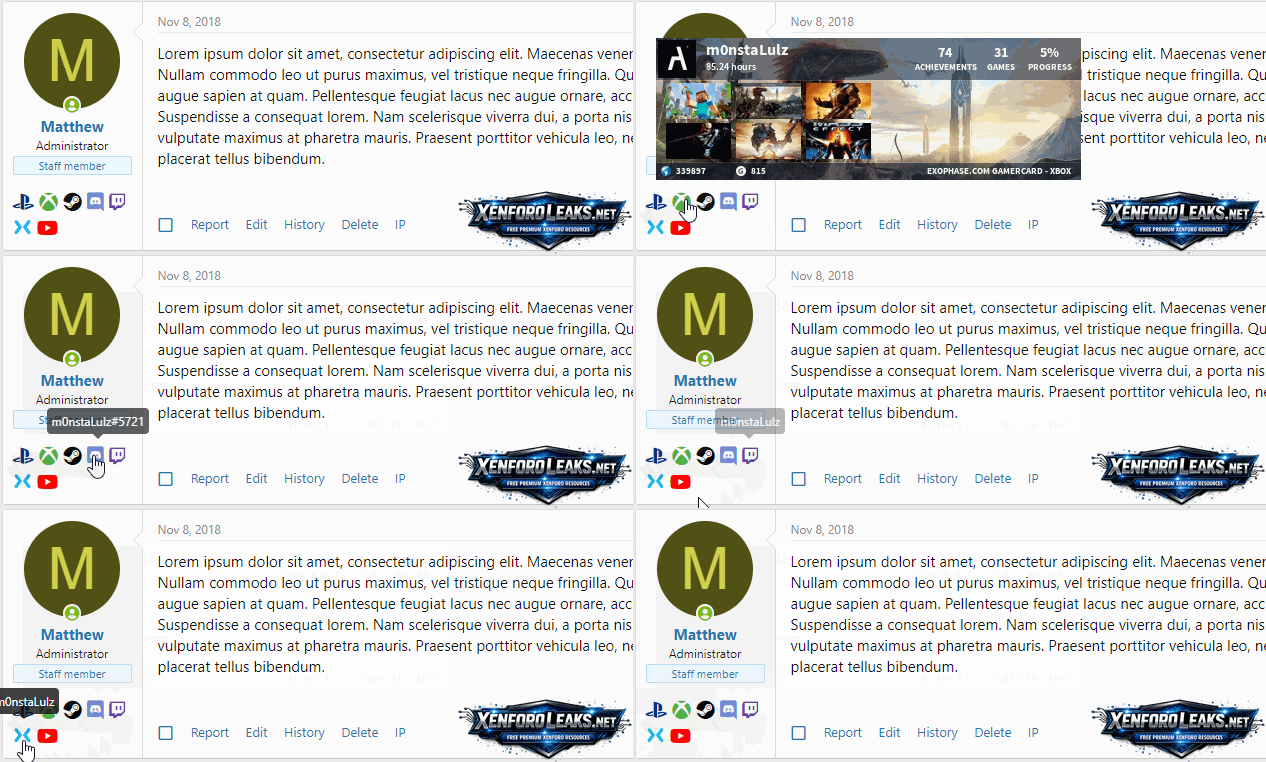
Member tooltip - Supports profile banners:
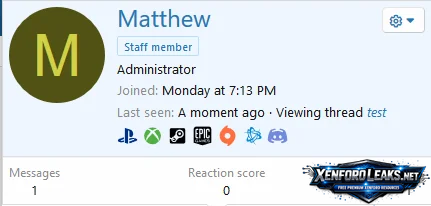
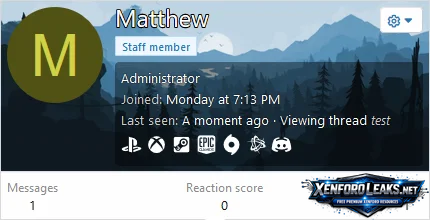
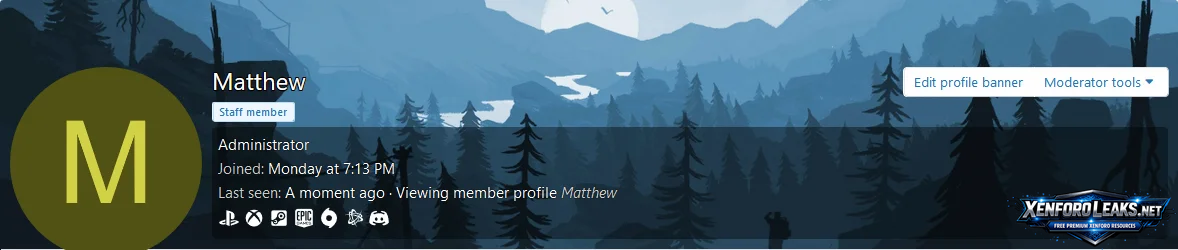
Member profile - Supports profile banners:

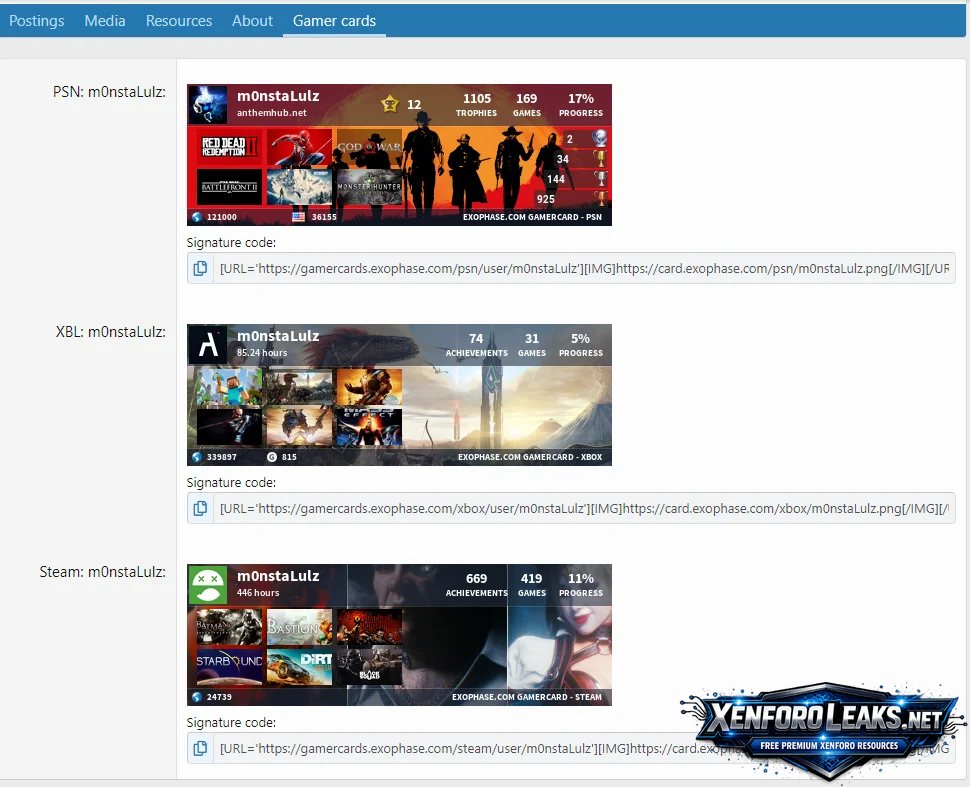
Gamer cards:
All the icons are SVG's which allow easy customization of the color and size across all the icons. If you switch to swap out any of the icons for another SVG or FontAwesome icon, you can do so in the "ah_gamerprofiles_svg" template.
![Screenshot_2020-10-07 [AH] Gamer Profiles XenForo - Admin control panel(1).webp](https://xenforoleaks.net/attachments/screenshot_2020-10-07-ah-gamer-profiles-xenforo-admin-control-panel-1-webp.7507/ "Screenshot_2020-10-07 [AH] Gamer Profiles XenForo - Admin control panel(1).webp")
XenForo 2.3+
This add-on is a port of GamerProfiles - PixelExit.com, which @Steve F has kindly allowed me to release.
This add-on makes use of the custom user fields by allowing your users to input their various usernames from the their social profiles. It can be configured to use certain social profiles if you do not wish to display them all. Simply look in the style properties [AH] Social Profiles for settings for displaying what icons you would like. If you have a suggestion mention it and I'll see about adding it. This add-on supports sites running SSL as well, mainly the linked images.
Supported Profiles
- Steam - Supports gamercards
- PlayStation - Supports gamercards
- Xbox - Supports gamercards
- Nintendo
- EA/Origin - Supports gamercards
- Battle.net
- Epic Games
- Second Life
- Discord
- Guilded.gg
- Twitch
- YouTube
- Bluesky
- TikTok
- Telegram
- Kick
- GitHub
- GitLab
- Roblox
- Skype
Set what icons to display and set permissions to view.
- ACP -> Groups & Permissions -> User Group Permissions
- ACP -> Style Properties -> [AH] Social Profiles
If you would like to limit which user group's have access to a custom user field(s) you may use Custom Field Permissions by @Xon
When enabled and the user has said field filled in with their id's icons will be displayed in various locations. Also the display of a Gamer Card is supported with Steam, PSN, Xbox Live and EA/Origin. Gamercard popup is now done entirely in CSS, no additional code insertion required.
Messages:
Member tooltip - Supports profile banners:
Member profile - Supports profile banners:
Gamer cards:
All the icons are SVG's which allow easy customization of the color and size across all the icons. If you switch to swap out any of the icons for another SVG or FontAwesome icon, you can do so in the "ah_gamerprofiles_svg" template.
