
- Joined
- Oct 27, 2025
- Messages
- 136
Ever wanted to create and manage tournaments in your community with a solution fully integrated to XenForo ? Then our Tournament add-on from is made for you !
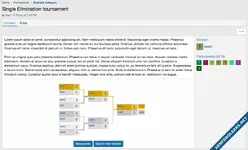
With Tournament, you and/or your users can create and manage (invite users, kick users, ...) public or private tournaments with up to 64 contestants in just a few mouse clicks among 6 different types: Single elimination, Single elimination with consolation bracket, Double elimination, Round Robin, Round Robin with 2 way matches or manual winner nomination.
The look'n'feel of the tournaments brackets is similar to what you see for sports tournaments or e-sports.
Matches are either automatically generated at the end of the registration period or can be randomly generated or manually selected by the tournament creator, or any user with manage rights.
Xen Factory Tournament is perfectly suited for sports forums or games forums.
Coupled with our Roster add-on, Tournament is raised to a whole new level, allowing tournament not just between users but also between rosters (team).
Features
Roster integration features
With Tournament, you and/or your users can create and manage (invite users, kick users, ...) public or private tournaments with up to 64 contestants in just a few mouse clicks among 6 different types: Single elimination, Single elimination with consolation bracket, Double elimination, Round Robin, Round Robin with 2 way matches or manual winner nomination.
The look'n'feel of the tournaments brackets is similar to what you see for sports tournaments or e-sports.
Matches are either automatically generated at the end of the registration period or can be randomly generated or manually selected by the tournament creator, or any user with manage rights.
Xen Factory Tournament is perfectly suited for sports forums or games forums.
Coupled with our Roster add-on, Tournament is raised to a whole new level, allowing tournament not just between users but also between rosters (team).
Features
- General Permissions - Selectively tweak what your users can do: View / Register / Create / Create private / Create usergroup restricted / Send Invite / Add user / Edit self / Delete self / Get New Tournament Alert
- Moderator Permissions - Selectively tweak what your moderators can do: View all / Edit anyone / Delete anyone / Feature
- Classes - Allow you to create classes in a tournament, such as age categories, car type, etc... each class has its individual bracket in a dedicated tab.
- 3 registration types - Solo (based on username), free input (based on name input) or Team* (based on rosters)
- Multiple tournament modes
- Single elimination
- Single elimination with consolation bracket
- Double elimination
- Round robin
- Round robin with 2 way matches
- King of the hill [NEW 5.0.0]
- Fixed number of contestants (maximum) - Among the following: 2 / 4 / 8 / 16 / 32 / 64 / 128 / 256. Automatically handles BYE if contestants not reached and not a power of 2 when generating the brackets (for single/double elimination).
- Third place match - Optional for single elimination and double elimination tournaments.
- Check-in system - When activated, users who registered to a tournament must connect and validate (check-in) their participation in a defined time period before the tournament registration end thus ensuring effective participants.
- Automatic bracket adaptation - If the number of contestants is lower than expected, the bracket is automatically adapted to the closest power of 2.
- Automatic random bracket generation... - Upon registration end date reached (if at least 2 contestants for single elimination and round robin, 4 for double elimination) or when the number of contestants is reached if no registration end date.
- ... or Manual random bracket generation... - Upon tournament creator or user with rights to edit command.
- ... or Manual matches selection - If random generation doesn't fit, you can as well select each matches individually (for single/double elimination) or move matches between rounds (for round robin).
- Matches reset - If someone finally doesn't want to participate, the generated matches can be unvalidated.
- Submissions by participants:
- Users can submit their result and upload a screenshot.
- Automatic validation of result if both users submit the same.
- Optionally, submission can be validated by moderators through permission based approval queue.
- Only available in Single elimination/Round Robin/Round robin 2 ways
- Public or private tournaments - Private tournaments are invite-only.
- Usergroup restricted tournaments - Restrict registration for tournament to specific usergroups.
- Invite or Add Users to tournaments - Easy input thanks to username autocomplete
- Easy Score entering through double click on the score area.
- Tabbed layout - Tournament is displayed with up to 3 tabs:
- The tournament content itself, ie. description and bracket
- The rules (if any)
- The participants (if any and activated through options)
- The discussion (if any)
- Categories - Unlimited nested categories with fine tuning of their configuration:
- Allowed registration types
- Allowed tournament modes
- Automatic thread creation
- Tournaments list with multiple filters capability
- Filter by type
- Filter by mode
- Filter by username
- Filter by registration open status
- Filter by free slots only
- Order by last update, creation date, end of registration or title. Default order configurable through options
- Tournament icons- For clean look and feel in tournament view, list and widgets
- User loadable image (permission based)
- Default icon either Font Awesome trophy icon or admin input image url through style properties
- My Tournaments page - Dedicated page displaying the user created tournaments for easy access.
- Participated Tournaments page - Dedicated page displaying the tournaments to which the user participated for easy access.
- Leaderboard page - Dedicated page highlighting the top users and rosters* ever/this month/previous month
- Discussion - Automatic creation of a thread upon tournament creation if activated (category based configuration), with event posting:
- Tournament created
- Matches generated
- Unvalidated matches
- Winner input
- Alerts - Users will be notified upon different events:
- when someone invite them to a tournament
- when someone add them to a tournament
- when the tournament starts
- when the matches are reset
- when scores have been updated in the tournament
- when a new tournament is created
- when opponent submit result
- Alerts can be disabled - Based on user configuration.
- Configurable widgets
- Latest tournaments - Shown on forum home/forum list by default
- Featured tournaments - Shown on tournaments index/tournaments categories by default
- Top winners (users) - Shown in tournament sidenav by default
- Top winners (clubs) - Shown in tournament sidenav by default*
- Round robin - Not displayed by default, allows to show round robin tournaments as widget (full/rounds only/standings only)
- Reactions
- Bookmark tournament
- Help page - Describing tournament modes and registration types
- NixFifty User Onboarding add-on compatibility
- User registered to tournament in category condition
- User completed tournament in category condition
- Fully responsive (smart way)
- Configurable look'n'feel - Brackets colors are all based on style properties
Roster integration features
- Tournament related game - Link tournaments to games, mandatory for teams but can be input for solo and free input registration types
- Players restriction - Set minimum and maximum number of players required for a team to take part to a tournament.
- Invite or Add Rosters to tournaments - Easy input thanks to smart roster autocomplete
- Number of wins by club displayed on information page
- Number of wins by each roster displayed on the rosters list
- Participated tournaments tab in club
- Alerts - Roster captain will be notified upon different events:
- when someone invite invite one of his roster to a tournament
- when someone add one of his roster to a tournament
Attachments

![[XFA] RM Resource Forums](https://xenforoleaks.net/data/attachments/0/856-7acc634937bf550830c4ee1eb92c3ed0.jpg)

![[XFA] Forum List Tabs](https://xenforoleaks.net/data/attachments/0/968-0550f059bd0aa7ac5f1585542e50a32a.jpg)
![[XFA] Nodes Icon Tweak](https://xenforoleaks.net/data/attachments/0/970-97390423155b71d23d216755f76415b3.jpg)
![[XFA] Custom Username Icons](https://xenforoleaks.net/data/attachments/0/979-0dd120cdfe5033b70620ca181be2fab2.jpg)