Points
63
Solutions
0



Awesome!These kinds of modifications would be good for this addon, what do you think?
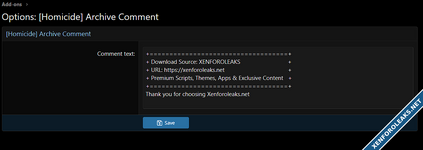
View attachment 7205
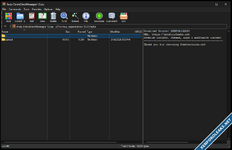
View attachment 7204
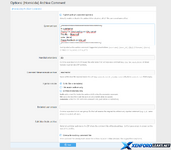
 Archive Comment Addon by Homicide V2.4.0
 insert a text file inside the archive
 write a ZIP metadata comment
 do both at the same time
 What’s New
 choose which archive extensions to handle: zip, jar, epub, docx, xlsx, pptx, odt, ods, odp, apk
 choose whether the comment is added as a file, metadata, or both
 customize the filename of the inserted text file
 place the file in a custom subfolder inside the archive
 prevent overwriting if the file already exists
 exclude specific user groups from receiving modified files
 add a prefix to the downloaded filename
 use dynamic placeholders in the comment text
 Available Placeholders
 Example:
Downloaded by {username} from {site_name} on {date} at {time} Enable archive comment injection Comment text
 Handled extensions Comment filename inside archive Injection mode
 Excluded user groups Subfolder inside archive Overwrite existing comment file Download filename prefix Notes
 Only use ZIP-compatible formats in the extension list.
 Formats like rar or 7z are not supported.
 If the archive cannot be processed, the original file is delivered unchanged.
 Leave optional fields empty to use the default behavior.


Next up is a escrow add-on
I don't really see a need for there is already one around.
I don't really find it useful either. BUT...
I am thinking we need a music addon, that is more updated then what is out there.
I am going to be l...