
Simple Basic Footer

HomicideHomicide is verified member.

Administrator
Staff member
Points 43
Solutions 0
In your PageContainer: You will add this code and customize it to your liking.
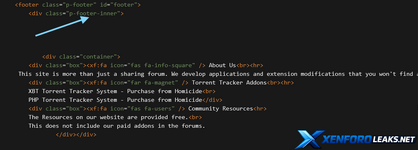
Screenshot 2026-04-04 114034.png

HTML:
<div class="container">
        <div class="box"><xf:fa icon="fas fa-info-square" /> About Us<br><hr>
     This site is more than just a sharing forum. We develop applications and extension modifications that you won't find anywhere else. </div>
        <div class="box"><xf:fa icon="far fa-magnet" /> Torrent Tracker Addons<br><hr>
        XBT Torrent Tracker System - Purchase from Homicide<br>
        PHP Torrent Tracker System - Purchase from Homicide</div>
        <div class="box"><xf:fa icon="fas fa-users" /> Community Resources<hr>
        The Resources on our website are provided free.<br>
        This does not include our paid addons in the forums.
                </div></div>

In your Extra.Less: Add this and customize

CSS:
// Display footer boxes
.container {
            display: flex;
            border: 2px solid black;
            border-radius: 5px;
            margin-bottom: 10px;
        }

        .box {
            flex: 1;
            margin: 15px;
            padding: 40px;
            border: 2px solid #ccc;
            border-radius: 5px;
}

Output:

Screenshot 2026-04-04 114351.png
 
In your PageContainer: You will add this code and customize it to your liking.

7260

<div class="co...

You’ve basically already got the right idea; you just need to insert it in the correct place and tighten up the styling a bit so it behaves well as a footer.

1. Add the HTML to your footer template

Instead of putting this directly in page_container, it’s usually cleaner to use the built‑in footer hook so it sits above the copyright and works across all styles.

Go to:
Appearance → Templates → PAGE_CONTAINER

Find this line:

HTML:
<xf:ad position="container_breadcrumb_bottom" />

Directly below it (but above the copyright block), add your footer container:

HTML:
<div class="footer-boxes">
    <div class="footer-box">
        <xf:fa icon="fas fa-info-square" /> About Us<br><hr>
        This site is more than just a sharing forum. We develop applications and extension modifications that you won't find anywhere else.
    </div>
    <div class="footer-box">
        <xf:fa icon="far fa-magnet" /> Torrent Tracker Addons<br><hr>
        XBT Torrent Tracker System - Purchase from Homicide<br>
        PHP Torrent Tracker System - Purchase from Homicide
    </div>
    <div class="footer-box">
        <xf:fa icon="fas fa-users" /> Community Resources<hr>
        The Resources on our website are provided free.<br>
        This does not include our paid addons in the forums.
    </div>
</div>

(I’ve renamed .container / .box to .footer-boxes / .footer-box so you don’t clash with XenForo’s own .container class.)

2. Add the CSS to extra.less

Now go to:
Appearance → Styles → Your style → Templates → extra.less

Add and adjust as you like:

CSS:
// Footer boxes container
.footer-boxes {
    display: flex;
    flex-wrap: wrap;
    border: 2px solid black;
    border-radius: 5px;
    margin: 20px 0;
    background: @xf-contentBg;
}

// Individual footer box
.footer-box {
    flex: 1 1 0;
    min-width: 200px;
    margin: 15px;
    padding: 20px;
    border: 2px solid #ccc;
    border-radius: 5px;
    box-sizing: border-box;
}

// Optional: icons and text tweaks
.footer-box .fa--xf {
    margin-right: 5px;
}

.footer-box hr {
    margin: 8px 0 12px;
}

3. Make it responsive (optional but recommended)

Still in extra.less, you can make the boxes stack on narrow screens:

CSS:
@media (max-width: 650px) {
    .footer-boxes {
        flex-direction: column;
    }

    .footer-box {
        margin: 10px 0;
    }
}

Summary
• Put the HTML block into PAGE_CONTAINER where you want the footer to appear.
• Use extra.less for styling and rename the classes to avoid conflicts.
• Adjust text, icons (<xf:fa icon="...">), borders, colors, and spacing to match your style.
 
Back
Top Bottom
